HERO Horizon
Marketing intelligence for property managers

Win owners. Fill vacancies. Prove it.

Horizon helps property managers win new owner accounts through stronger company visibility, fill vacancies through stronger listing performance, and retain current owners with clear, owner-ready proof.

Public access begins September 15th, 2026.

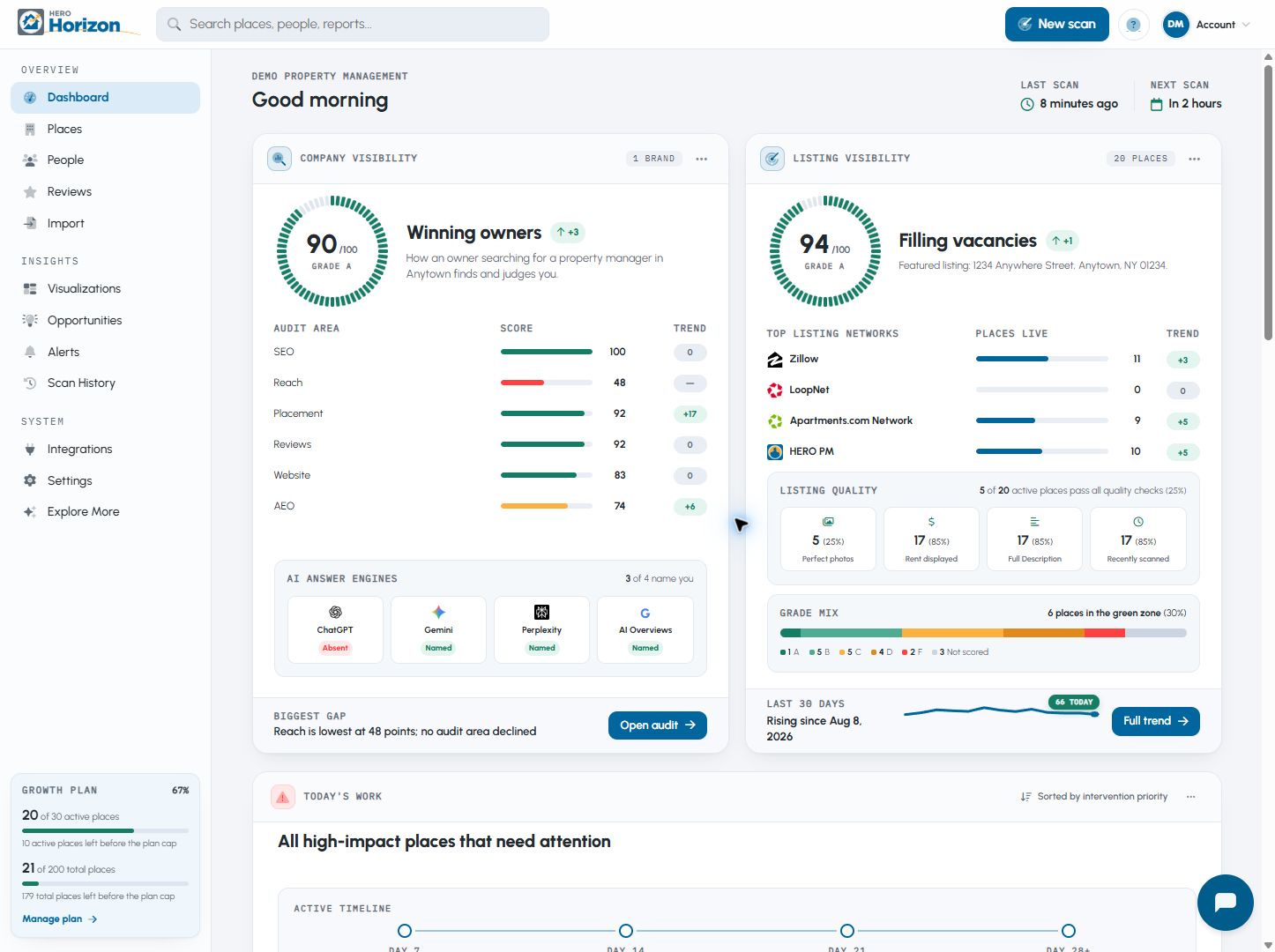
Sample Horizon performance dashboard Sample data
Simulated current HERO Horizon dashboard showing company and listing visibility performance.

One platform, two paths to growth

Win the next owner. Keep the owners you already have.

Horizon strengthens both sides of your business: it helps prospective owners find and trust your company, and it helps current owners see that their vacant property is being marketed well.

Win new owner clients

Turn company visibility into new management accounts.

  1. 01
    Be easy to find

    Strengthen how your company appears across search engines, directories, maps, and AI answers.

  2. 02
    Earn the inquiry

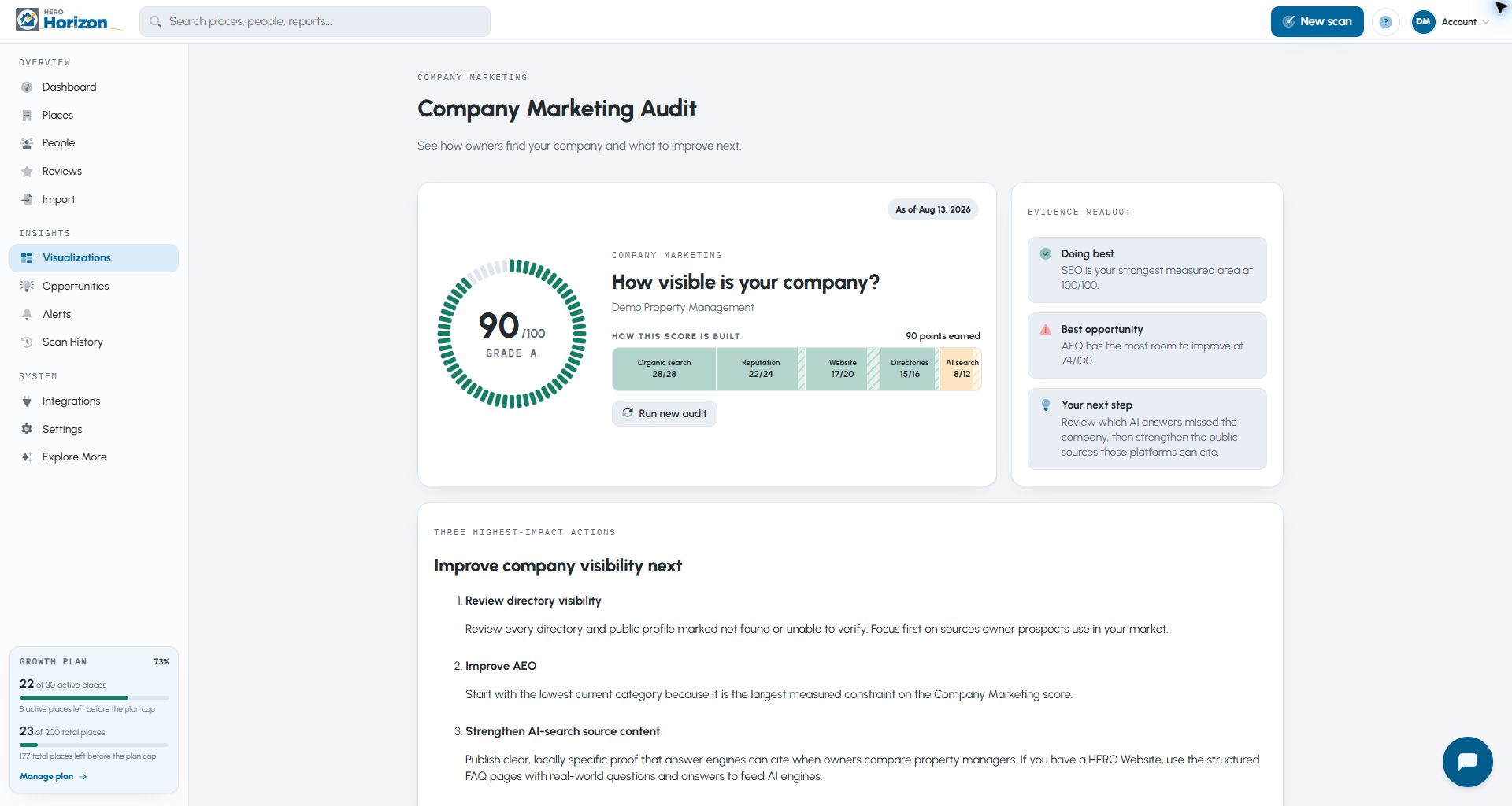
    Owners discover your company, then receive a branded Prospect Report alongside your qualifications, services, and marketing plan.

  3. 03
    Win the account

    Give the owner clear evidence that you understand the property and know how to make it visible to renters.

Strengthen prospective-owner trust

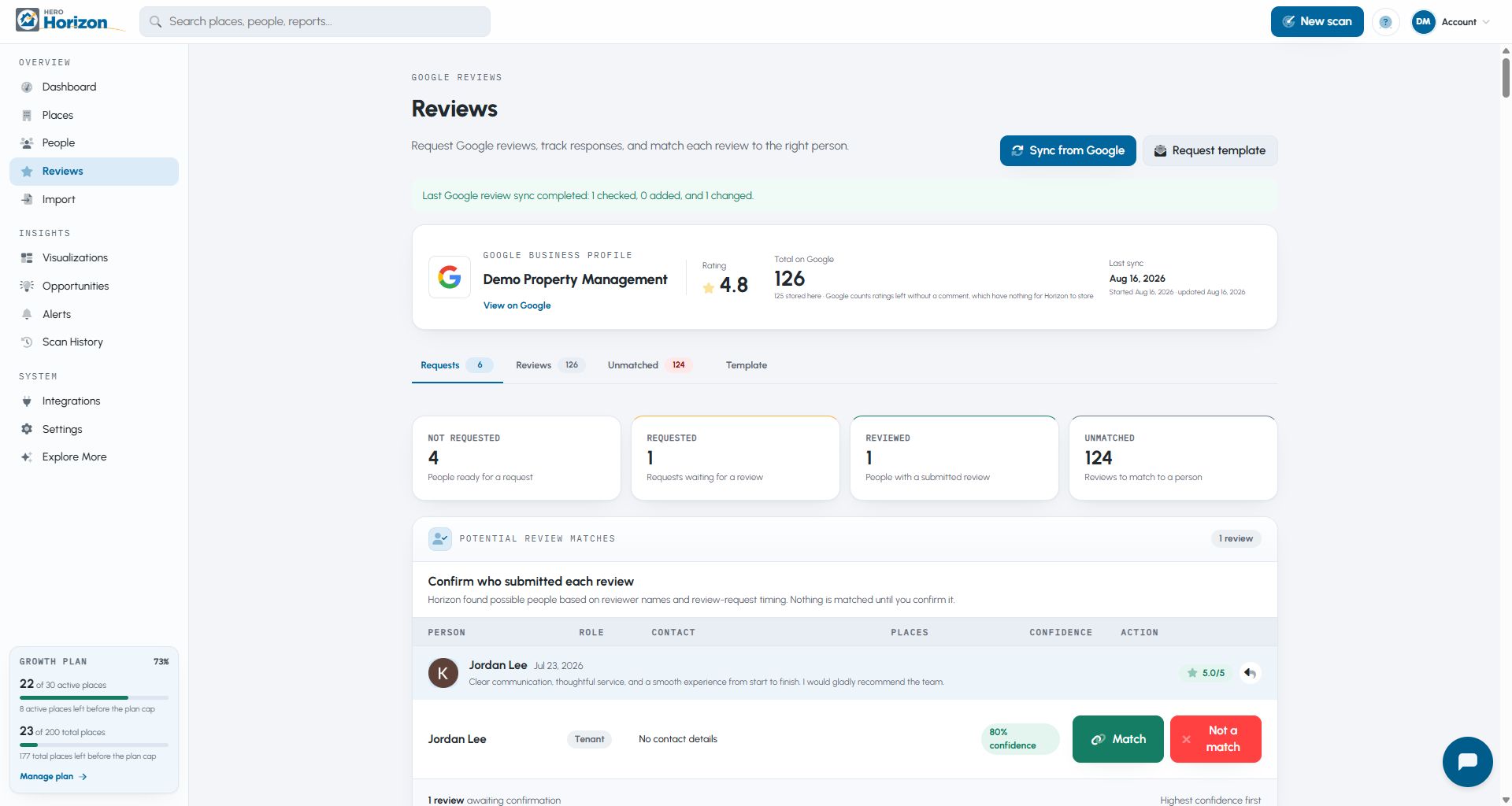
Horizon can also help you request and track Google reviews—one more way to improve how prospective owners see your company.

More qualified owner opportunities and more management accounts won.
Retain current owner clients

Turn listing performance into owner confidence.

  1. 01
    Improve the marketing

    When a vacancy begins, maximize where the listing appears and strengthen the photos, content, pricing, and details renters use to decide.

  2. 02
    Show the work

    Send an Owner Report that explains the listing's reach, quality, recent progress, and most useful next steps.

  3. 03
    Keep the owner's trust

    Reassure the owner, reduce repeated status calls, shorten vacancy time, and strengthen the relationship.

More confident owners, fewer vacancy headaches, and stronger client retention.

One listing, two answers

Know where renters find it, and what they see.

Horizon scores two separate questions: Can renters find the listing, and does it give them enough information and confidence to act?

Listing coverage

Where renters find it

Coverage shows whether renters can discover the listing through the channels they use.

  • Search visibilityCan renters find the exact address in an ordinary search?
  • Listing networksDoes it appear on the rental sites that matter?
  • AI visibilityCan AI assistants find and accurately cite it?

Listing quality

What renters see

Quality shows whether renters have what they need to take the next step.

  • Photos & visual presentationAre the photos clear, useful, and complete?
  • Listing contentAre the key facts, terms, and location details present?
  • Conversion readinessAre pricing, trust details, and the next step clear?
Sample Horizon listing quality analysis Sample data
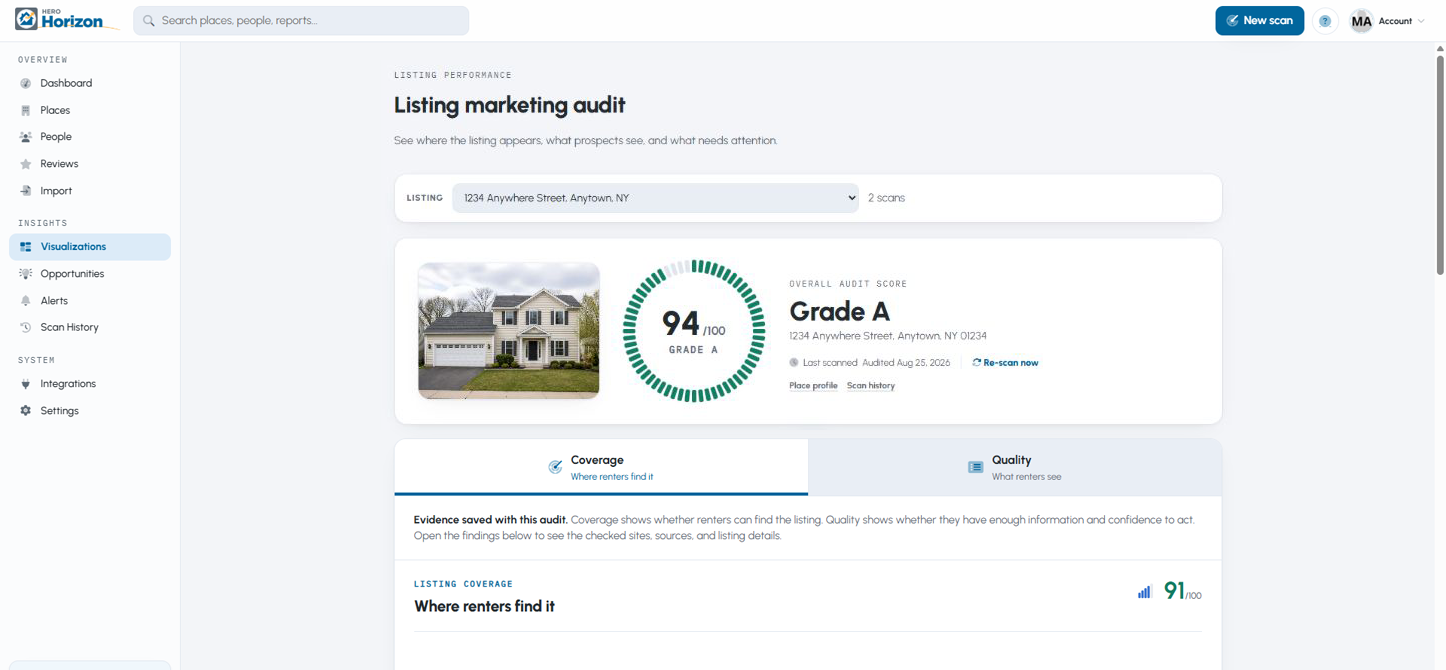
Simulated Horizon audit for 1234 Anywhere Street showing an A grade and listing quality components.

See Horizon at work

From one listing to the whole portfolio.

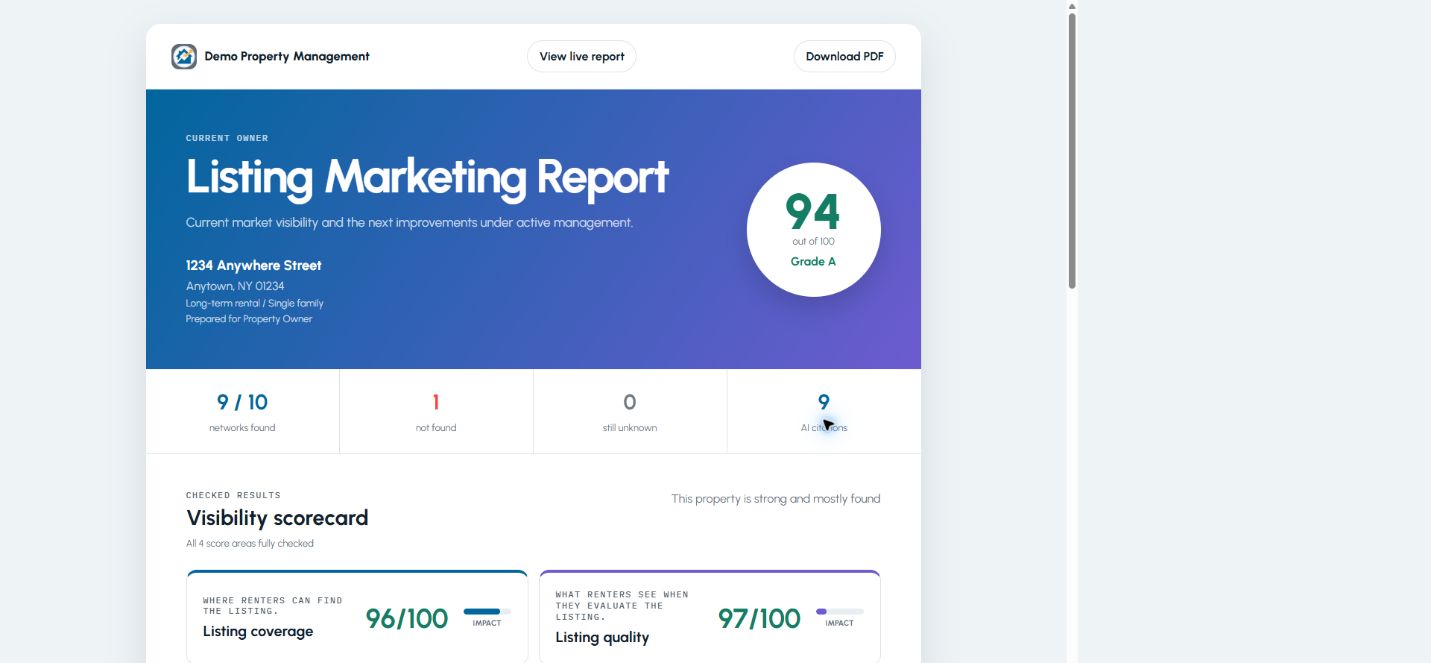
See what earned each score, what to improve first, and what owners need to see.

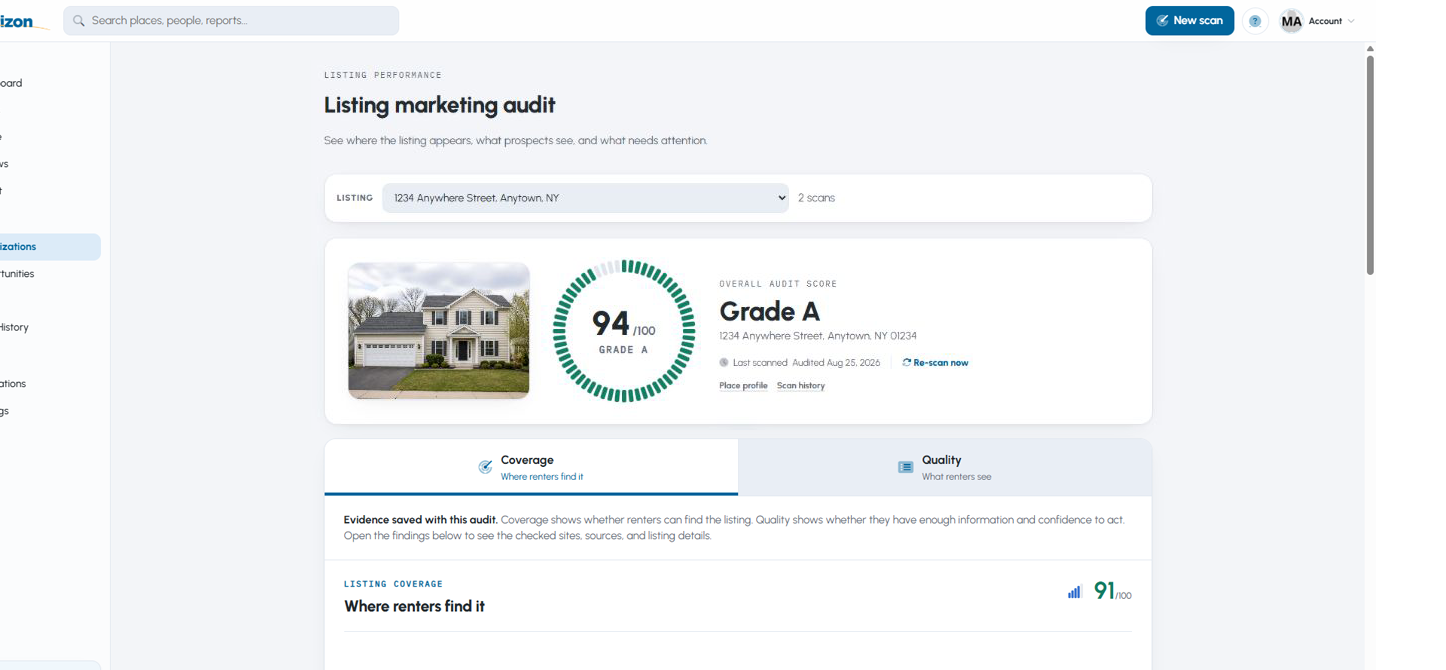
Simulated Horizon Listing Marketing Audit for 1234 Anywhere Street showing an A grade and fictional property photo.

01

Listing Marketing Audit

Find where renters can and cannot find a listing, see what they encounter, and work through the fixes in priority order.

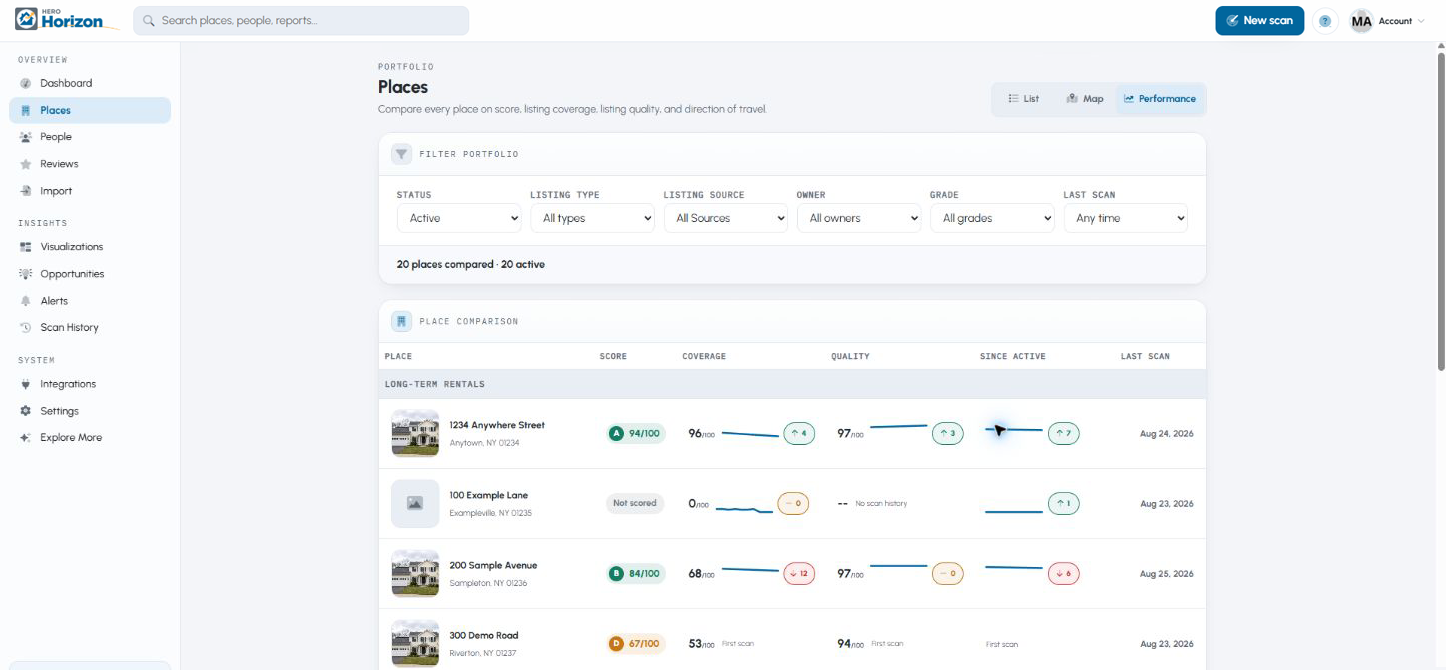
Simulated Horizon Portfolio Performance view containing fictional listings, grades, coverage, quality, and score trends.

02

Portfolio Performance

Compare listing performance across your portfolio, find the properties that need attention, and track improvement over time.

Simulated owner-ready report for 1234 Anywhere Street with an A grade and fictional recipient details.

03

Owner-ready Reports

Give current owners a clear performance report, add Horizon findings to a proposal for a prospective owner, or share a live report that updates after each scan.

How it works

One address becomes a clear marketing plan.

Start with one property. Add portfolio-wide monitoring when you are ready.

Scan workflow

Start with one property.

Scan a property you manage, one you want to win, or a listing an owner is asking about.

A thorough scan can take up to 5 minutes
  1. 01

    Run the audit

    Enter a United States address. Horizon checks search results, rental networks, listing details, photos, and other relevant marketing surfaces.

  2. 02

    Fix what matters

    See why the listing earned each score and start with the improvements most likely to help.

  3. 03

    Show the owner

    Create a report for a current owner, build a proposal for a prospect, or keep an owner updated with a live link.

Portfolio performance

See every active listing—and know where to act first.

Add properties manually, import a CSV, or connect a supported source. Horizon brings coverage, quality, trends, and owner reporting into one portfolio view.

Bring in your portfolio

Live sync from HERO Harmony

Keep properties, owners, and their relationships current automatically.

Import from supported property management systems

Bring listings into Horizon from supported systems.

Import from CSV

Bring in your portfolio without entering every property one at a time.

Add a property manually

Start with one property and build the portfolio as you go.

Focus your team

Find gaps early

Compare coverage and quality across the portfolio to see which listings need attention.

Prioritize the work

Use opportunities and alerts to put the highest-impact improvements first.

Show progress

Track score history and turn the latest results into clear owner reporting.

Sample Horizon portfolio performance Sample data
Simulated Horizon portfolio performance view comparing fictional listing grades, coverage, quality, and recent direction.

Pricing

Choose the plan that fits your portfolio.

Plans are based on your total portfolio and how many listings are actively marketed at once. An active listing is a property being advertised for its next occupant.

Starter

Up to 20 portfolio units

Up to 3 actively marketed listings

For landlords and small property managers who want a clear view of listing performance.

$0/mo
  • Listing marketing audits
  • Company marketing audits for property management companies
  • Listing coverage and quality findings
  • AI answer checks and source evidence
  • Portfolio views and scan history
  • Manual scans with no payment card

Growth

Up to 200 portfolio units

Up to 30 actively marketed listings

For independent property managers with a steady leasing pipeline and owner reporting needs.

$99/mo
  • Everything in Starter
  • Weekly scheduled scans
  • Owner, prospect, and live reports
  • Direct report and review-request email*
  • Google review requests and collection tracking
  • HERO Harmony live sync and supported PMS imports
  • People directory and team access
Need more room? Momentum increases capacity to 500 portfolio units and 75 actively marketed listings for $199/month.

Scale

Up to 1,000 portfolio units

Up to 150 actively marketed listings

For larger independent operators coordinating listing performance across teams and markets.

$299/mo
  • Everything in Growth/Momentum
  • Daily scheduled scans
  • Automatic monthly Company Marketing audits
  • Up to 1,000 portfolio units and 150 actively marketed listings, with step-ups to 5,500 units and 825 active listings as needed
Increase Scale in unit step-ups
1,500 units225 active · $399/month
2,000 units300 active · $499/month
2,500 units375 active · $599/month
Continue adding 500 portfolio units and 75 active listings for $100/month per step.

* Direct email is available after free account verification and vetting.

Join the waitlist and we will email your launch notice and access details.

Public access September 15, 2026

Be ready to show owners how every listing performs.

Join the pre-launch waitlist. We will email your launch notice and access details.

Audit company visibility
See why each listing earned its score
Create owner-ready reports
Compare performance across your portfolio

Public access begins September 15th, 2026.

Questions

The questions property managers ask.

Straight answers before public access begins. No sales call required.

Getting started

What is HERO Horizon?+

HERO Horizon shows property managers how their company and listings perform online, what to improve, and how to prove the work to current owners and prospective clients. It combines listing coverage, listing quality, company visibility, review requests and response tracking, portfolio trends, and owner-ready reports. Horizon helps property managers request Google reviews from the people they serve and track responses, building the public trust prospective owners use when choosing a manager.

When does public access begin?+

Public access begins September 15, 2026. Join the waitlist and we will email your launch notice and access details.

What's the difference between Horizon, Harmony, and PM Avenue?+
  • Horizon: Audits how a property management company and its listings perform online, then shows what to improve in the marketing of both.
  • Harmony: The complete, end-to-end property management software, delivered as a cloud SaaS platform for long-term and vacation rentals, storage and commercial properties, and associations. It is where you run day-to-day operations, manage listings and communications, handle trust accounting and maintenance, and power your company websites, SEO, marketing, and listing syndication. Eligible Harmony accounts can sync their places and owners directly into Horizon.
  • PM Avenue: The online directory and marketplace where property owners looking for management services can find property managers to hire. Verified and vetted HERO PM members who offer property management services qualify for a free listing and free owner leads on PM Avenue.
Which kinds of properties can Horizon assess?+

Horizon supports listings for long-term rentals, vacation rentals, storage, and commercial properties. Coverage networks and quality priorities change by listing type because prospects do not shop for every type the same way.

Coverage, quality, and scores

What is the difference between Listing Coverage and Listing Quality?+

Listing Coverage answers where the listing can be found. Listing Quality answers what a prospect sees after finding it. The overall grade combines those two scores, while each remains visible with its own evidence and recommended fixes.

What does Listing Coverage check?+

Coverage measures search visibility, the major listing networks appropriate for the listing type, and answers from supported AI assistants. Network impact weights are maintained separately so an important site influences the score more than a minor one.

What does Listing Quality check?+

Quality is organized into Visuals, Content, and Conversion. It reviews photos, essential property facts, description depth, pricing and terms, availability, policies, trust details, and the information a prospect needs to take the next step. Factor weights change by listing type.

How are grades assigned?+

A is 90 through 100, B is 80 through 89, C is 70 through 79, D is 60 through 69, and F is below 60. Horizon does not present a normal grade when the evidence required to calculate it was not verified.

How does the photo analysis work?+

Horizon separates likely listing photos from logos, icons, and page decoration, then samples up to ten useful images. It checks resolution, exposure, contrast, sharpness, noise, duplication, and how completely the photos show the place.

What do the AI answer checks show?+

They show how supported AI assistants answer practical questions about the listing or company, whether the correct source is cited, and which important facts are missing, uncertain, or outdated. Saved answers are formatted for reading rather than exposing service markup.

Places, imports, and scans

Will Horizon connect to property management software?+

Yes. HERO Harmony can sync properties and owners directly. Horizon also supports CSV and imports from selected property management systems. The available import depends on the provider and the data it makes available.

What counts as actively marketed?+

A place is actively marketed while the property manager is seeking the next occupant, including the notice period before vacancy and continuing through move-in. Plan pricing is based largely on how many places are actively marketed at once, not only total portfolio size.

Owners and reports

What reports can Horizon create?+

An Owner Report explains current marketing performance to an existing client. A Prospect Report supports a property management proposal. A Live Owner Report gives a connected owner a private link to the latest owner-facing result. Availability depends on the account plan.

Can I use the Prospect Report as my complete proposal to a prospective client?+

Yes. Prospect Report settings let you add the standard information you share about your company, services, and management offering, so your complete proposal and Horizon's marketing findings can be presented together in one polished report.

Can reports use my branding?+

Yes. Horizon uses the company logo and brand colors from Account settings. Static Owner and Prospect Reports can also include report-type HTML above and below the Horizon data, allowing the property manager to build a complete presentation.

Plans, accounts, and support

How do Horizon plans and limits work?+

Plans are based on total portfolio units and the number of listings actively marketed at once. Starter includes up to 20 units and 3 active listings. Paid plans add larger limits, scheduled scans, integrations, team access, and owner-ready reports.

I already use HERO Harmony. Is this the same login?+

Yes. Your HERO PM login works across Horizon and your other HERO solutions. Existing HERO PM members can use that login when Horizon opens.